
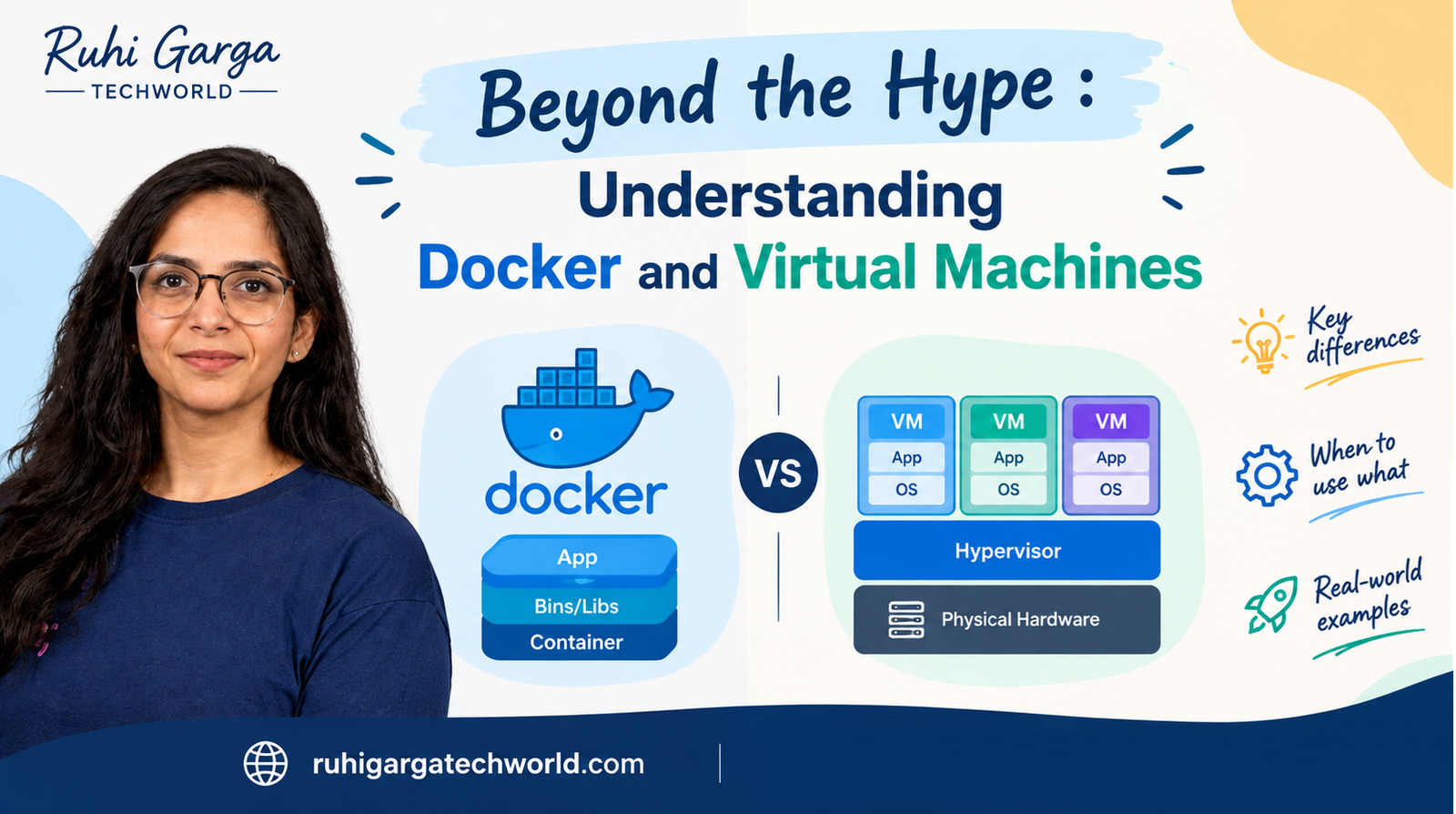
Introduction
If you’ve recently started exploring Docker, you’ve probably heard the comparison:
“Containers are like lightweight virtual machines.”
While this statement isn’t entirely wrong, it’s also not entirely accurate.
Both Docker containers and Virtual Machines (VMs) solve a similar problem: running applications in isolated environments. However, the way they achieve isolation is fundamentally different.
Understanding this distinction is essential for architects, developers, and platform engineers because it influences performance, scalability, deployment strategies, and cloud costs.
The Core Problem
Imagine three developers working on the same application:
- Developer A uses Windows 11
- Developer B uses Ubuntu
- Production runs on Linux servers
The application works perfectly on Developer A’s machine but fails everywhere else. This infamous situation:
“But it works on my machine!”
is exactly what both Virtual Machines and Docker containers aim to solve.
What is a Virtual Machine?
A Virtual Machine is a complete computer running inside another computer. A VM contains:
- Guest Operating System
- Required libraries
- Runtime
- Application code
- Virtual hardware
A hypervisor (such as VMware, Hyper-V, or VirtualBox) sits between the host machine and the virtual machine, allocating resources such as CPU, memory, and storage.
VM Architecture
Physical Server
│
├── Hypervisor
│
├── VM 1
│   ├── Guest OS
│   ├── Libraries
│   └── Application
│
├── VM 2
│   ├── Guest OS
│   ├── Libraries
│   └── Application
│
└── VM 3
    ├── Guest OS
    ├── Libraries
    └── Application
Each VM behaves like an independent machine. That provides strong isolation, but it also means VMs generally require more resources.
What is Docker?
Docker uses containerization rather than hardware virtualization. Instead of packaging an entire operating system, Docker packages:
- Application code
- Runtime
- Dependencies
- Configuration
Containers share the host operating system kernel instead of bringing their own OS.
Docker Architecture
Physical Server
│
├── Host Operating System
│
├── Docker Engine
│
├── Container 1
│   ├── App
│   └── Dependencies
│
├── Container 2
│   ├── App
│   └── Dependencies
│
└── Container 3
    ├── App
    └── Dependencies
Because the operating system is shared, containers are significantly smaller and faster.
Docker vs VM : The Real Difference
Think of it this way:
Virtual Machine –> Renting an entire apartment. You get :
- Your own kitchen
- Your own bathroom
- Your own utilities
It is isolated, secure, but resource-intensive.
Docker Container — > Renting a room within an apartment. You get :
- Your private space
- Shared building infrastructure
It is efficient, lightweight, and faster to scale.
Docker vs VM Comparison
| Feature | Virtual Machine | Docker Container |
|---|---|---|
| OS | Full Guest OS | Shares Host OS Kernel |
| Size | GBs | MBs |
| Resource Consumption | High | Low |
| Isolation | OS / VM-level isolation | Process-Level isolation |
| Portability | Good | Excellent |
| Density per Host | Tens | Hundreds |
| Best Use Case | Multiple OS workloads | Microservices & Cloud Native Apps |
The typical characteristics of VMs being measured in GBs and containers in MBs, along with VM boot times of minutes versus container startup times of seconds, are widely noted in container fundamentals training material.
Architecture Comparison
Let’s look at what actually happens underneath.
Virtual Machine
Application
     ↓
Guest Operating System
     ↓
Virtual Hardware
     ↓
Hypervisor
     ↓
Physical Hardware
There are additional layers because every VM needs its own operating system.
Docker
Application
     ↓
Container
     ↓
Docker Engine
     ↓
Host Operating System
     ↓
Physical Hardware
Containers share the host kernel, removing the need to run a complete operating system for every application.
Why Are Containers So Lightweight?
Imagine you need to deploy 20 applications.
With VMs, you might have:
20 Applications
      ↓
20 Guest Operating Systems
      ↓
20 Virtual Machines
With containers:
20 Applications
      ↓
20 Containers
      ↓
1 Host Operating System
This can dramatically reduce resource overhead.
That makes containers particularly attractive for:
- Microservices
- REST APIs
- CI/CD pipelines
- Cloud-native applications
- Scalable workloads
- Development environments
The “Works on My Machine” Problem
One of Docker’s biggest advantages isn’t just resource efficiency.
Maybe your application requires:
- .NET 8
- A particular library version
- Specific system dependencies
- Environment variables
- Certain configuration
Another developer might have a different environment. The application works differently. Docker helps package the application environment into a reproducible unit. For example:
Developer Machine
       ↓
     Docker
       ↓
   Container
       ↓
Application + Dependencies
The same container image can then be used across:
Development ---> Testing ---> CI/CD --->Staging --->Production
This is one of the reasons containers became so important in modern software delivery.
Where Do VMs Fit Into Cloud Architecture?
Here’s where the comparison becomes more interesting. Docker and VMs aren’t necessarily competitors. They are often used together. For example, imagine an Azure environment:
Azure
│
└── Virtual Machine
      │
      └── Linux
           │
           └── Docker Engine
                │
                ├── API Container
                ├── Worker Container
                └── Database Container
The VM provides the underlying machine. Docker provides application-level isolation. So instead of asking: “Docker or VM?” A better architectural question is: “At which layer do I need isolation?”
Isolation: VM vs Container
This is an important architectural distinction. A VM provides isolation at the machine/OS level. A container provides isolation at the process/application level. That means VMs are generally preferred when you need:
- Different operating systems
- Stronger workload isolation
- Legacy applications
- Full control over the OS
- Specific kernel requirements
Containers are often preferred when you need:
- Fast deployments
- Application portability
- High workload density
- Microservices
- Consistent environments
- Rapid scaling
So Which One Should You Use?
There isn’t a universal winner. The right choice depends on the workload.
Choose a VM when:
- ✅ You need a complete operating system
- ✅ You’re running legacy software
- ✅ You require strong OS-level isolation
- ✅ Different workloads require different operating systems
- ✅ You need direct control over the OS
Choose Docker when:
- ✅ You’re deploying modern APIs or services
- ✅ You want consistent environments
- ✅ You are building microservices
- ✅ You need fast startup and deployment
- ✅ You’re building CI/CD pipelines
- ✅ You want application portability
And What About Kubernetes?
This is where things get even more interesting. Kubernetes doesn’t replace Docker in exactly the same way a VM replaces a physical server. Kubernetes is an orchestration platform. It manages containerized workloads across multiple machines. Kubernetes does not require Docker as its container runtime; modern Kubernetes environments commonly use container or other CRI-compatible runtimes.
A simplified architecture might look like:
Cloud Infrastructure
│
├── VM / Node
│    ├── Container
│    ├── Container
│    └── Container
│
├── VM / Node
│    ├── Container
│    └── Container
│
└── VM / Node
     ├── Container
     └── Container
Kubernetes can then handle things such as:
- Scheduling
- Scaling
- Service discovery
- Load balancing
- Self-healing
- Rolling deployments
This creates a layered architecture:
Physical Infrastructure
        ↓
Virtual Machines / Nodes
        ↓
Container Runtime
        ↓
Containers
        ↓
Applications
        ↓
Kubernetes manages the workloads
A Practical Example from a .NET Application
Let’s take a typical .NET Web API. Without Docker:
Developer
   ↓
Install .NET
   ↓
Install dependencies
   ↓
Configure environment
   ↓
Run API
Moving the application to another environment can introduce differences. With Docker:
.NET Application
       ↓
Dockerfile
       ↓
Docker Image
       ↓
Container
       ↓
Run anywhere with compatible container support
For example:
FROM mcr.microsoft.com/dotnet/aspnet:8.0
WORKDIR /app
COPY ./publish
ENTRYPOINT ["dotnet", "MyApi.dll"]
The Docker image becomes a consistent deployment artifact.
Docker Doesn’t Eliminate VMs
This is probably the biggest misconception. Docker didn’t make VMs obsolete. Instead, modern cloud architectures frequently use both. For example:
                    Cloud
                      │
              Virtual Machines
                      │
                Container Runtime
                      │
             ┌────────┴────────┐
             │                 │
        API Container     Worker Container
             │                 │
             └────────┬────────┘
                      │
                 Application
The VM provides infrastructure isolation. Containers provide application isolation and portability. Each solves a different problem.
The Architectural Takeaway
As engineers, we sometimes get caught up in asking: “Which technology is better?” But architecture is rarely about finding a universally better technology. It’s about choosing the appropriate abstraction for the problem.
VMs answer: “How do I isolate and run multiple machines on shared infrastructure?”
Containers answer: “How do I package and run applications consistently and efficiently?”
Kubernetes answers: “How do I operate and scale many containers across infrastructure?”
Once you understand these layers, the relationship between them becomes much clearer.
My Simple Mental Model
If you remember only one thing, remember this:
VM = A computer inside a computer

Container = An application inside an isolated environment

Kubernetes = A system for managing many containers
And from an architecture perspective:
Don’t choose Docker because it’s newer.
Don’t choose VMs because they’re familiar.
Choose the level of isolation, portability and operational control your workload actually requires.
That’s the real difference.
Final Thought
The evolution from physical servers → virtual machines → containers → container orchestration isn’t about one technology replacing another.
It’s about increasing the level of abstraction.
As software systems become more distributed and cloud-native, understanding these layers becomes increasingly important for software engineers and architects.
And that’s where architecture becomes less about knowing individual technologies and more about understanding why they exist and where they fit.
What would you choose for your next application — a VM, Docker, or both?
#Docker #VirtualMachines #CloudArchitecture #SoftwareArchitecture #DotNet #DevOps #Kubernetes #CloudComputing #TechnicalArchitecture #SoftwareEngineering